Impacted Members/Scientists: Request a membership waiver, seek meeting support, and other resources. Learn more. For the latest public policy updates, please visit this page.




247th meeting
Registration

247

247th
meeting of the American Astronomical Society
Phoenix, Arizona
4
–
8 January 2026
How to Register | How to Add Workshop Later
1. Go to the registration page: https://aas.org/meetings/aas247/registration
2. Click the “REGISTER” button
Direct registration link is: https://my.aas.org/AAS_Member/Events/Event_Display.aspx?EventKey=WTR_26R
3. Sign in with your AAS username and password:
- Use the “Forgot Username?” or “Forgot Password?” links if you forgot your credentials.
- If you’re sure you have an AAS account but can’t sign in, please email [email protected].
- If you don’t have (or don’t recall having) an AAS account, click the “Create a new account” link.
- Then search our database to see if you already have an account before accidentally creating a duplicate:
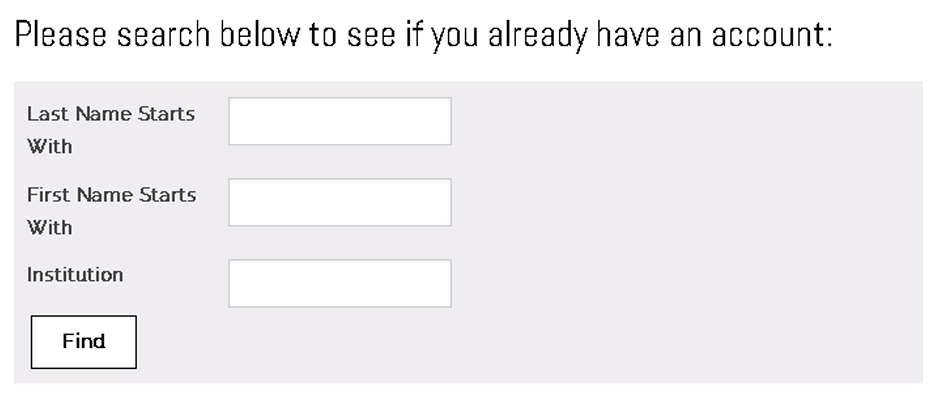
- If the search finds no records, fill in the “Create an Account” form: https://my.aas.org/aas_member/AAS_Member/iMIS/ContactManagement/CreateA…
- Finally, sign in with your newly created AAS username and password.
- If you need assistance, please email [email protected].
4. Click the orange “Register Myself” button

The page will reload and present you with several registration options.
If you are already registered and wish to register your someone else or your guest (spouse/domestic partner, or significant other), please select “Register Someone Else”. Look up or create your guest record and keep on registering same way as described below.

5. Select one of the “Registration Options”
The registration rates are based on your current membership status; however, if you renew a lapsed membership and register for a meeting on the same day, you will be charged the nonmember registration rate. To register at the member rate, please wait until the following business day to register for the meeting and confirm you have been charged the correct fee before checking out.
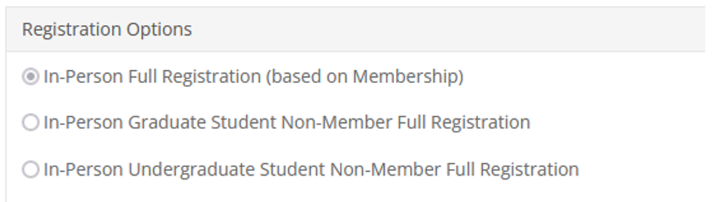
A guest must be a spouse, domestic partner, or significant other. Guest registration fee covers access to the exhibit/poster hall, and daily morning and afternoon coffee breaks. Please note that guests are not allowed to participate in scientific sessions.
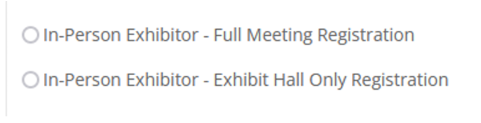
Exhibitors – please select one of the exhibitor registration options below. To receive a complimentary registration, apply the promocode at the checkout.
- In-Person Exhibitor - Full Meeting Registration
- In-Person Exhibitor - Exhibit Hall Only Registration
6. Answer all required questions and click the “Save Responses” button

If you wish to change any of your responses, do so and then click the “Update Responses” button.
7. Scroll down and click the orange “Proceed to Checkout” button
8. Enter your Payment information (or use a promocode if you have special registration)
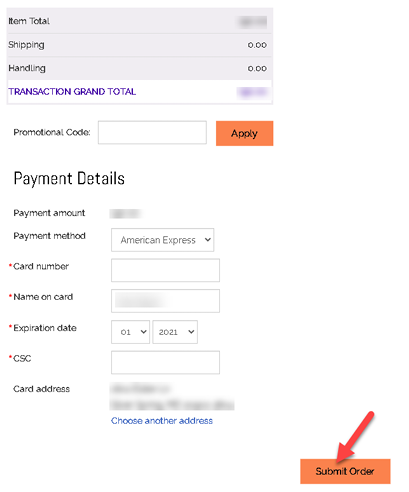
10. Click the “Submit Order” button to complete your registration.
Once you submit your registration, you will see a confirmation page/receipt from [email protected]. Please check your spam/junk folder if you don’t see your email.
If you need assistance, please email [email protected].
How to Add Workshop (after already registered)
1. Go to the registration page: https://aas.org/meetings/aas247/registration
2. Click the “REGISTER” button
Direct registration link is: https://my.aas.org/AAS_Member/Events/Event_Display.aspx?EventKey=WTR_26R
3. Login with the same username and password as used for registering.
4. Scroll down to workshops.
5. "ADD" workshop to the registration (itinerary).
6. Proceed to "Checkout".
7. Enter and "Submit" the payment (credit card).
8. You will see the confirmation page and receive a confirmation email.